


3D Logo Maker: AI Logo Creator
4.6789.00 Reviews
App Specs
- Version
- 1.10.23
- Updated On
- License
- Free
- Downloads
- 5,000,000+
- Developer
- Maxlabs Graphic Design Tools
- Categories
- Business
- Platform
- Android
Screenshots
 Analysis by AppCompare
When I need a quick visual starting point for a small business or side project, I’d rather test a few logo directions than stare at an empty canvas. 3D Logo Maker and Logo Creator is built for that kind of first draft: it gives me a template-led way to explore a mark, adjust its look, and decide whether the result suits the idea. I find it most useful as a practical design aid, not a replacement for careful brand work.
Getting Started with Ease
First off, downloading and setting up the app is a breeze. Whether you’re on Android or iOS, you’ll find it on the app store, ready to go with just a tap. Once installed, I was greeted with a sleek and intuitive interface. No need to fumble around with tutorials or endless menus. Everything is laid out in a way that even a novice can dive right in.
A sensible first pass
I get the best result by deciding what the logo needs to communicate before opening a template. A café that wants to feel welcoming needs a different visual tone from a repair service that wants to look dependable. That small bit of planning helps me avoid choosing an attractive design that has little to do with the business.
From there, I treat the first version as a sketch. I try a few relevant templates, replace the obvious sample wording, and compare the overall silhouette at a small size. A logo that looks exciting when enlarged may become crowded as a profile image, so checking it in a compact view is a useful habit before settling on a direction.
Dive Into the Features
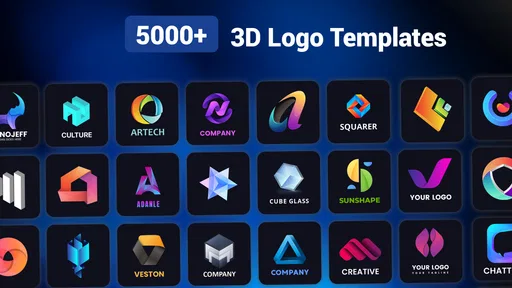
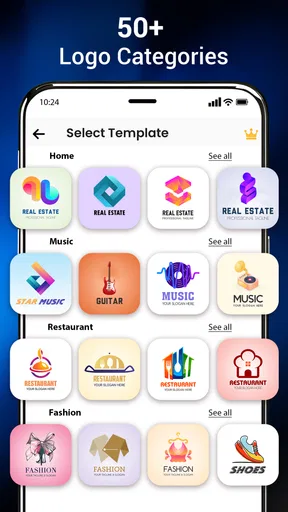
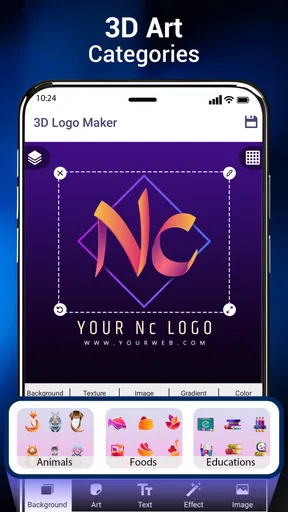
What really caught my attention was the robust set of features this app offers. You’re not just limited to basic shapes and text. You can explore a vast library of templates and icons that cater to every industry imaginable. From tech startups to cozy cafés, there’s something for everyone.
The template collection is a shortcut, but it also sets a boundary: other people can start from similar visual ideas. I use a template to get the layout moving, then focus on making the name, color choices, and visual emphasis feel appropriate to the specific project. That approach is more reliable than assuming a ready-made design will be distinctive on its own.
Making the 3D treatment work
The 3D aspect is what sets this app apart. You can play with angles, lighting, and even shadows to give your logo that extra dimension. The customization options are endless, and the app offers a palette of colors that you can tweak to match your brand’s vibe. It’s like having a mini design studio in your pocket.
Worth Reading Before You Choose

Flipboard Shows What News Apps Must Do Beyond the Feed

Switching to Android Auto Means Rethinking Your Driving Routine

Google Calendar Makes a Crowded Week Easier to Manage

Ludo King Makes the Most of the Minutes Between Plans

Baby Panda World Brings Quick Play to Modern Phones, but Its Game Library Feels Busy

ESPN’s Live Game View Makes Following Close Games Easier
I’d use depth as an accent rather than adding every effect at once. A strong angle or shadow can give a short wordmark presence, while several competing effects can make small lettering harder to read. I compare a restrained version with a more dramatic one, then choose the option that remains clear when viewed quickly.
User-Friendly Tools
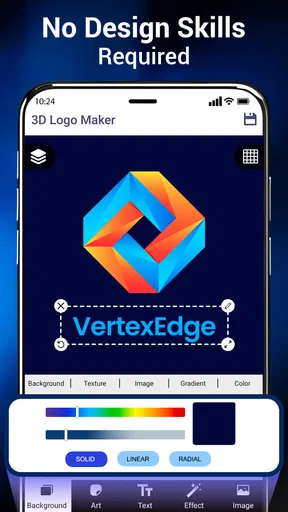
One thing I appreciated was the user-friendly tools. You don’t need to be a graphic designer to create something spectacular. The drag-and-drop functionality makes it easy to arrange elements and play around with different layouts. Plus, with the undo and redo buttons, there’s no fear of messing up. It’s all about experimenting and finding what works best for you.
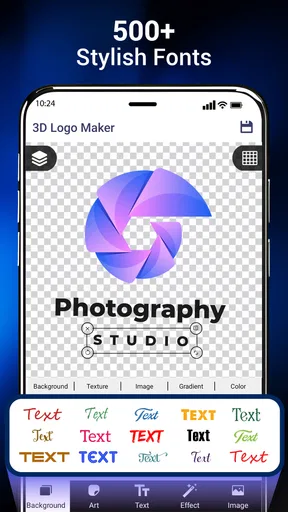
- Custom fonts: Choose from a variety of fonts to make your logo stand out.
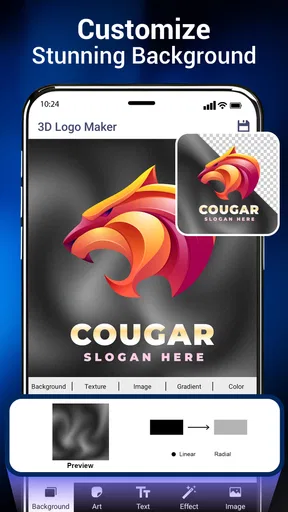
- Background options: Select from solid colors, gradients, or even upload your own background.
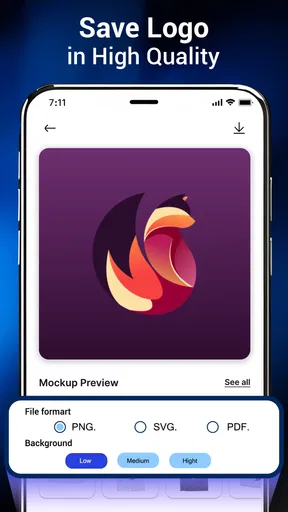
- Export options: Save your design in high resolution for both print and digital use.
For a repeatable workflow, I keep the name and icon in the most readable positions first, then adjust color and effects. I also use undo and redo deliberately: after a promising change, I compare it against the previous version instead of continuing to add adjustments automatically. This makes experimentation less likely to drift away from the original brief.
Creative Freedom
The app offers a perfect balance of creativity and simplicity. Whether you’re creating a logo for your business, a club, or just for fun, the 3D Logo Maker and Logo Creator gives you the freedom to express yourself. I found myself getting lost in the process, tweaking every little detail until it felt just right.
Another cool feature is the ability to preview your logo in different settings. Want to see how it looks on business cards, t-shirts, or even a billboard? The app’s got you covered. This feature alone saved me hours of guesswork.
That preview step is especially handy for catching mismatches between a design and its intended use. A mark for a social profile needs to read at a glance; a design shown on a larger mock-up can tempt me to keep fine details that disappear when reduced. I use the different presentations as a reality check, not proof that the logo is ready for every production method.
Useful for quick business decisions
A realistic use is a new seller preparing a temporary identity for a product announcement. They can try a few relevant directions, show a draft to a partner, and settle on a look for an initial social post without first learning a full design program. A club organizer or local service provider can use the same quick exploration to make a simple visual presence for a flyer or profile.
For that kind of task, this business-focused app sits between making a logo from scratch in a general design tool and commissioning a custom identity. Compared with a broad graphics editor, its templates make it easier to get moving but offer less room for a completely individual construction. Compared with professional design software, it is more approachable for quick concepts, while a designer has better scope to build a carefully considered identity system.
I would not rely on a quick mock-up alone when the logo must meet strict print, signage, or brand-guideline requirements. Before using a design widely, I’d inspect the saved result at its intended size and check that the lettering and contrast remain clear. If a business needs a distinctive identity that must work consistently across many materials, a professional designer or a more flexible desktop workflow is the better choice.
Who should reach for it
I’d recommend trying it if you’re a first-time business owner, a hobby seller, or someone who needs a presentable concept without a steep learning curve. It can also help a more experienced user brainstorm: templates make it quick to compare broad styles, and the 3D treatments let you test whether added depth supports the idea or distracts from it.
I’d skip it if you expect a ready-made template to guarantee originality, or if you need precise control over every part of a professional brand system. The app’s convenience is most valuable when speed and accessibility matter more than a completely bespoke result. That distinction helps set realistic expectations before spending time polishing a concept.
Performance and Reliability
In terms of performance, the app runs smoothly without any hiccups. I didn’t experience any crashes or slowdowns, even when working on complex designs with multiple layers. It’s reliable, which is a huge plus when you’re in the creative zone and don’t want interruptions.
The developers have also done a great job with regular updates, ensuring that any bugs are swiftly fixed and new features are added to keep things fresh and exciting.
The app is a free business tool from Maxlabs Graphic Design Tools, with an Everyone age rating. Its current version is 1.10.12, and it runs on Android 6.0 or later. It has a 4.5 average from around 69,000 ratings and more than 5 million installs, which suggests it has found a broad audience for quick logo-making tasks.
There are in-app purchases, so I’d check the price shown for any item before deciding whether to buy it; individual items range from $0.99 to $39.99. I’d begin with the free experience and only consider a purchase if a particular option solves a real need for the design I’m making. The app first appeared on April 17, 2019, and has 728 written reviews.
Final Thoughts
All in all, the 3D Logo Maker and Logo Creator app is a must-have for anyone looking to create professional-quality logos without the hefty price tag of hiring a designer. It’s packed with features, easy to use, and most importantly, fun. Whether you’re a budding entrepreneur or just someone who loves to design, this app is well worth checking out.
My more measured recommendation is to treat it as a fast concepting tool. It can help you get past a blank page, compare a few directions, and create a logo draft for everyday digital use. The trade-off is that template-based speed does not automatically produce a unique or fully developed brand identity, and 3D styling is not right for every project.
So, why not give it a go? You might just surprise yourself with what you can create. Happy designing!
Pros
- User-friendly interface for quick designs.
- Wide variety of templates available.
- Customizable color and font options.
- Offers 3D effects for dynamic logos.
- Supports high-resolution exports.
Cons
- Limited free features; many in-app purchases.
- Occasional glitches with 3D rendering.
- Ads can be intrusive during editing.
- Requires internet for full functionality.
- Some templates feel outdated.
FAQs for 3D Logo Maker: AI Logo Creator
What features does the 3D Logo Maker and Logo Creator offer?
The 3D Logo Maker and Logo Creator app provides a comprehensive set of tools for designing professional logos. Users can access a wide array of customizable templates, 3D design options, a rich color palette, and a variety of fonts. Additionally, the app offers export options in various formats, making it suitable for both digital and print use.
Is the app beginner-friendly for those with no design experience?
Yes, the app is designed to be user-friendly, even for beginners. It features an intuitive interface with drag-and-drop functionality, making it easy to navigate. Tutorials and tips are embedded within the app to guide new users through the process of creating a logo from scratch or using templates.
Are there any in-app purchases or subscription fees?
While the app is free to download, it does offer in-app purchases. These may include premium templates, additional design elements, and the removal of watermarks. Users can opt for a subscription model to access all features and receive regular updates and exclusive content.
Can I use my logos commercially after creating them in the app?
Yes, logos created using the 3D Logo Maker and Logo Creator are yours to use commercially. However, it’s important to check the licensing agreements for any stock images or fonts used in your design to ensure they are free for commercial use.
What platforms is the 3D Logo Maker and Logo Creator available on?
The app is available for both Android and iOS devices. It can be downloaded from the Google Play Store and the Apple App Store. Ensure your device meets the minimum system requirements for optimal performance and access to all features.


